Securing Azure 4 – Identity and Access – Conditional Access Part 1

Rolling out conditional access is a big topic, and we will split it into three main phases, preparation, audit and implementation. Conditional access has the potential to break stuff, a lot of stuff, especially if you are using Intune compliance configurations to block non-compliant devices. If you don't adequately test your conditional access policies before …

Securing Azure 3 – Identity and Access – Securing Privileged Access

This guide is not going to go into why securing privileged access is so important. If you're here for this guide, I'll assume you understand its importance. This guide will not cover all the different privileged roles and what they should be used for, nor will we be covering the monitoring of privileged access in …

Securing Azure 2 – Identity and Access – Passwords

Before you start shouting at me, "passwords are dead", they aren't quite, and yes we will be configuring multifactor authentication, but mistakes happen such as misconfigurations where multifactor may not be applied, so we should still be ensuring that strong passwords are being used across our organisation, and it's important to have knowledge of how …

Microsoft Intune 9 – AAD Join and Intune Onboarding (User-Driven Autopilot).

In the previous eight guides we have setup Intune and Autopilot from scratch, and this guide is where we test the onboarding process by joining a device to AAD and then logging in with a user account which is a member of our Remote Users Group. (You should use a user account based on your …

Microsoft Intune From Scratch 8 – Deployment Configuration (Autopilot).

We have completed the device configuration profiles, and our compliance policy, which means we now need to move onto deployment. Before we get into the configuration there are a few things to understand. During enrollment, Microsoft Intune installs a mobile device management (MDM) certificate on the device, which enables the two-way communication and is what …

Microsoft Intune From Scratch 6 – Endpoint Protection

In the previous guide we configured Antivirus which controls settings like malware scan schedules, network protection, PUA protection, and remediation actions based on alert types. Endpoint protection covers things like Application Guard, Windows Firewall, Credential Guard, and SmartScreen. IMPORTANT NOTE. Don't deploy anything without testing first as you cannot easily roll back restrictive policies applied …

Microsoft Intune From Scratch 5 – Antivirus Policy

Configuring antivirus and endpoint protection can get very complicated as there are a LOT of settings which can be enabled, these are split across different configuration areas, and they can be set it different ways. Microsoft provides a Microsoft Security Baseline which can be enabled and applied straight out of the box. The list of …

Microsoft Intune From Scratch 4 – Compliance Policies

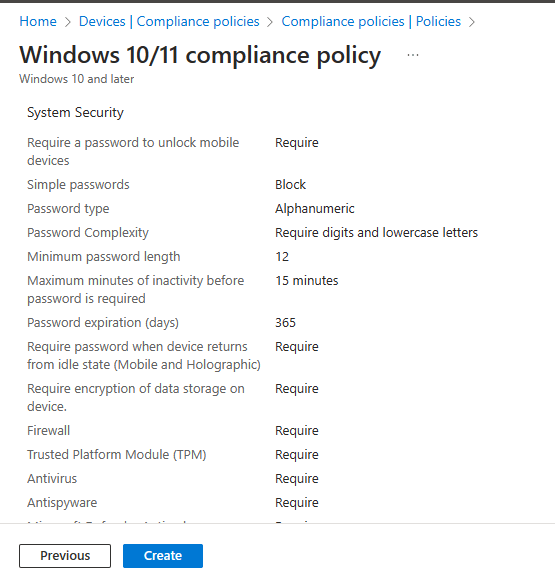
The Device Compliance Policy is the minimum baseline we require all assets to meet on a daily basis for business as usual (BAU) operations. Be careful not to confuse configuration and compliance policies, Microsoft explains the difference as below. "Compliance policies are 'rules' that govern whether a device is allowed/blocked. They are settings that devices …